
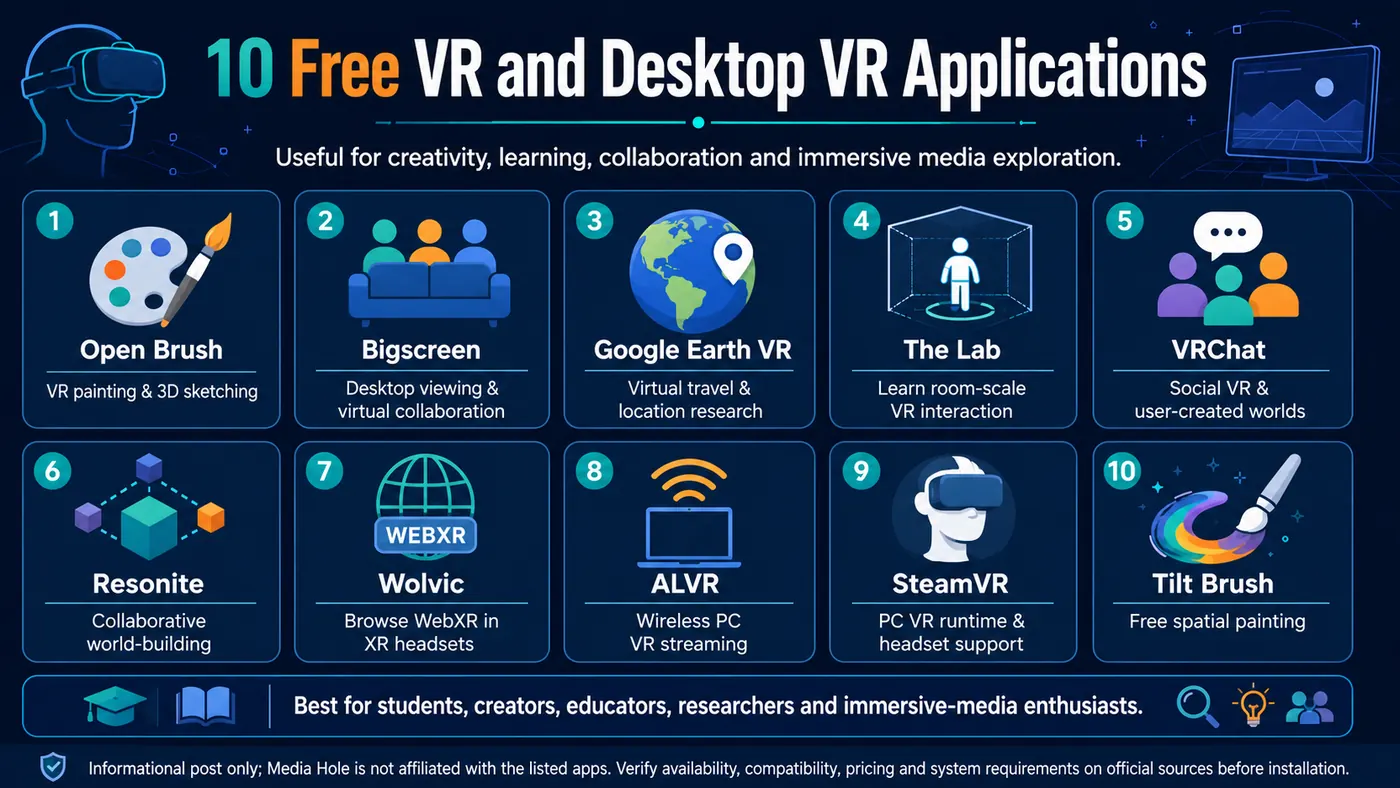
Virtual reality is useful for much more than gaming. Free VR applications can support immersive art, education, virtual field visits, desktop productivity, social interaction, media research and WebXR exploration.
The following applications are free or free-to-play at the time of checking. Some require a compatible VR headset, gaming computer, SteamVR account or optional paid content.
1Open Brush
Best for
VR painting, 3D illustration, immersive storytelling and virtual art.
What it does
Open Brush allows users to draw and paint directly in three-dimensional space. Instead of creating on a flat canvas, users can move around their artwork and view brush strokes from different positions.
Useful features
- Three-dimensional brush strokes
- Animated and light-based brushes
- Import of images, videos and 3D models
- Export options for further editing
- Support for SteamVR and OpenXR
- Useful for spatial storyboarding and virtual exhibitions
Who may find it useful
- Artists
- Media students
- Educators
- Exhibition designers
- Immersive storytellers
- VR researchers
Cost
Free and open source.
Platform
PC VR through SteamVR or OpenXR, with versions available for supported standalone headsets.
Official link
2Bigscreen
Best for
Using a computer desktop inside VR, collaborative viewing and virtual cinemas.
What it does
Bigscreen allows users to access a Windows desktop inside a virtual environment. Users can watch videos, run desktop applications, share screens and meet other people in virtual rooms.
Useful features
- View a computer desktop on a large virtual screen
- Watch videos in virtual cinema environments
- Share a screen with other users
- Use Windows applications within VR
- Join social viewing rooms
- Suitable for presentations and collaborative media viewing
Who may find it useful
- Students
- Remote collaborators
- Film and media enthusiasts
- Educators
- Researchers studying shared media experiences
Cost
The core application is free. Some films, services or additional content may require payment or a separate subscription.
Platform
Meta Quest and supported PC-VR systems.
Official link
3Google Earth VR
Best for
Virtual travel, geography education, heritage orientation and location research.
What it does
Google Earth VR enables users to explore cities, landscapes, landmarks and natural environments in virtual reality.
Users can fly above cities, visit famous locations and examine landscapes from different perspectives.
Useful features
- Explore global cities and landmarks
- View landscapes from aerial and ground-level perspectives
- Visit locations without physical travel
- Useful for geography and environmental education
- Helpful for planning heritage and documentary projects
- Includes guided and curated destinations
Who may find it useful
- Geography students
- Journalists researching locations
- Documentary creators
- Heritage researchers
- Teachers
- Travel and environmental communicators
Cost
Free.
Platform
Windows PC with SteamVR or Oculus PC compatibility.
Official link
4The Lab
Best for
Learning basic VR interaction and understanding room-scale design.
What it does
The Lab is a free collection of experimental VR experiences developed by Valve. It introduces users to room-scale movement, interaction, physics, object handling and virtual environments.
Useful features
- Room-scale VR demonstrations
- Object interaction
- Teleportation and movement examples
- Physics-based experiences
- Mini-games and experimental scenes
- Useful for studying early VR interaction design
Who may find it useful
- First-time VR users
- Interaction-design students
- Game-development learners
- Educators demonstrating room-scale VR
- Researchers studying VR interfaces
Cost
Free.
Platform
PC VR through SteamVR.
Official link
5VRChat
Best for
Social VR, virtual communities, digital identity and user-created worlds.
What it does
VRChat is a social virtual-reality platform where users can explore virtual worlds, communicate with others and use or create customised avatars.
It can also be used without a VR headset through desktop mode.
Useful features
- Large collection of user-created worlds
- Custom avatars
- Social events and virtual communities
- Desktop and VR modes
- World-building possibilities
- Voice and gesture-based interaction
Research and educational uses
- Virtual ethnography
- Social-presence research
- Online community studies
- Digital identity research
- Participatory-culture studies
- Virtual events and exhibitions
Cost
Free to play. Optional paid membership and paid content may be available.
Platform
Windows desktop, PC VR and selected standalone headsets.
Official link
6Resonite
Best for
Collaborative world-building, social VR, prototyping and experimental education.
What it does
Resonite is a social and creative platform where users can build, modify and interact with virtual environments together.
It supports both standard desktop use and virtual reality.
Useful features
- Real-time collaborative world creation
- Desktop and VR modes
- Interactive objects and environments
- Avatar and content creation
- Social communication
- Suitable for rapid prototyping inside VR
Who may find it useful
- VR developers
- Educators
- Creative technologists
- Interaction researchers
- Social-presence researchers
- Collaborative-design teams
Cost
Free to play. Optional subscriptions or supporter benefits may be available.
Platform
Windows desktop and supported PC-VR headsets.
Official link
7Wolvic
Best for
Browsing WebXR experiences, immersive websites and web-based media inside a headset.
What it does
Wolvic is an independent, open-source browser designed for virtual and extended reality.
Users can browse regular websites, watch videos and access compatible WebXR experiences directly through a supported headset.
Useful features
- XR-focused browser interface
- WebXR access
- Multiple windows and tabs
- Video and immersive-media viewing
- Support for external keyboards
- Open-source development
- Versions for different XR devices
Who may find it useful
- WebXR developers
- A-Frame creators
- Students exploring browser-based VR
- Educators
- Immersive-media researchers
- Users seeking an independent XR browser
Cost
Free and open source.
Platform
Availability varies by headset. Official downloads and sideloading packages are provided for supported devices.
Official link
8ALVR
Best for
Streaming PC-VR applications wirelessly to compatible standalone headsets.
What it does
ALVR, or Air Light VR, streams SteamVR applications from a computer to a standalone VR headset over Wi-Fi.
It provides an open-source alternative for users who want to access PC-VR applications without a physical headset cable.
Useful features
- Wireless SteamVR streaming
- Windows and Linux streamer support
- Open-source development
- Launcher for managing installations
- Suitable for compatible standalone headsets
- Community-developed configuration options
Who may find it useful
- Quest and compatible standalone-headset users
- PC-VR users
- Open-source enthusiasts
- Developers testing wireless VR
- Students with supported equipment
Cost
Free and open source.
Important requirement
A VR-capable computer, compatible headset and sufficiently strong local Wi-Fi network are required. Performance depends heavily on hardware, network quality and configuration.
Official link
9SteamVR
Best for
Running and managing PC-based VR applications.
What it does
SteamVR is Valve’s free PC-VR runtime and application environment. It connects supported headsets and controllers with VR applications available through Steam.
Useful features
- Access to compatible PC-VR applications
- Headset and controller management
- Room-scale setup
- Play-area boundaries
- Device configuration
- Support for multiple headset systems
Who may find it useful
- PC-VR users
- Students testing immersive applications
- VR developers
- Researchers running desktop VR experiments
- Users of Open Brush, The Lab and Google Earth VR
Cost
Free.
Important requirement
Although SteamVR is free, users still require a compatible headset and a sufficiently powerful computer. Individual applications may be free or paid.
Official link
10Tilt Brush
Best for
Free VR painting and spatial sketching.
What it does
Tilt Brush allows users to paint in three-dimensional virtual space using animated, luminous and particle-based brush strokes.
Its original source code was released, leading to community projects such as Open Brush. The application remains listed as free on Steam.
Useful features
- Paint in three-dimensional space
- Light, fire, stars and animated effects
- Spatial sketching
- Creative VR experimentation
- Useful for storyboarding and concept art
Who may find it useful
- Artists
- Design students
- Educators
- VR beginners
- Immersive storytellers
Cost
Free.
Important note
Open Brush is the actively developed open-source successor and may be a better choice for users seeking newer features and continued community development.
Official link
Source / additional details
Disclaimer:
Media Hole is not affiliated with the applications or developers listed; this post is for informational purposes only, and users should verify pricing, compatibility, licensing, privacy and system requirements on the official website before installation.