
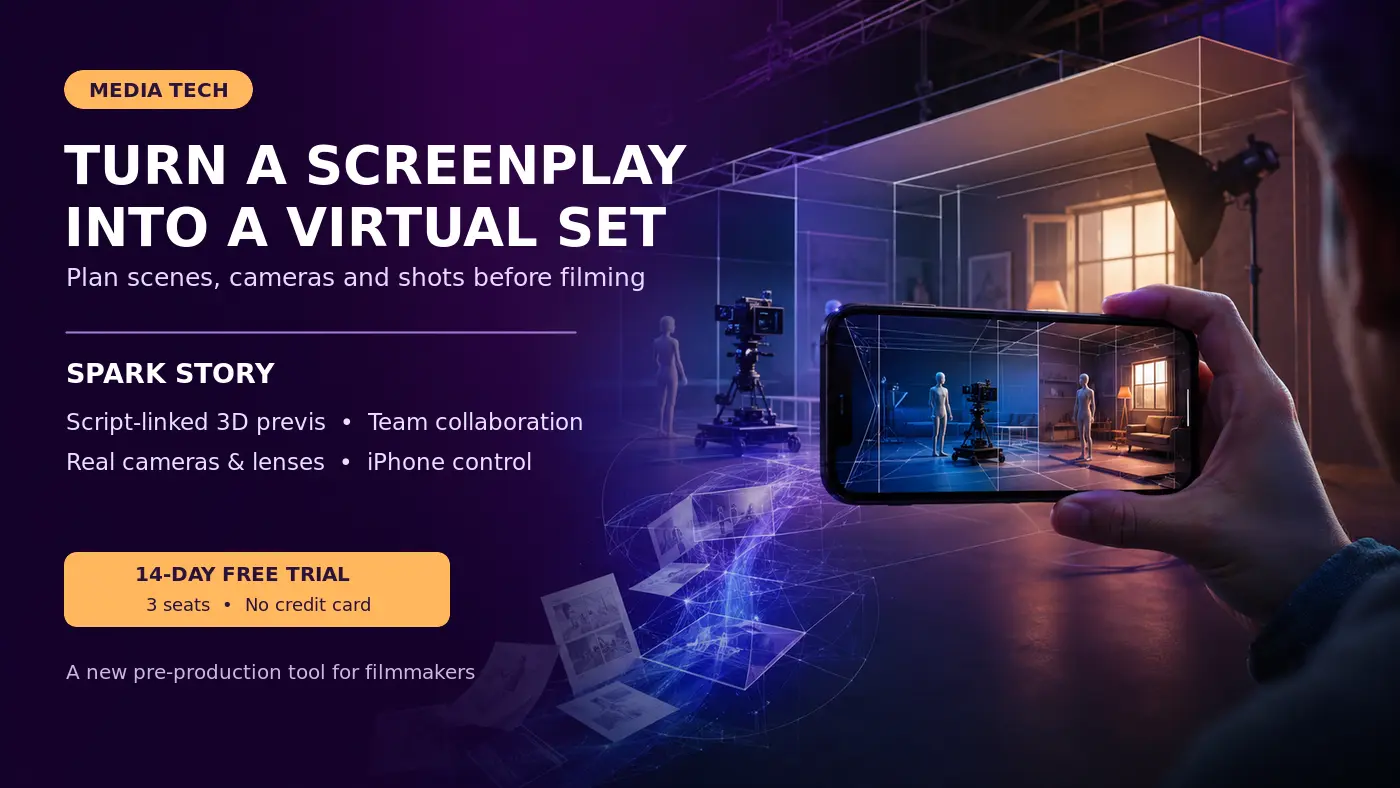
Filmmakers can now begin constructing and testing scenes before travelling to a location or building a physical set.
Spark Story, developed by Lightcraft Technology, is an interactive previsualisation platform that connects a screenplay directly to virtual environments, cameras, lenses and production shot lists.
The platform is designed to help writers, directors, cinematographers, producers and other collaborators develop a shared visual understanding of a film before production begins.
Platform Details
Platform: Spark Story
Developer: Lightcraft Technology
Purpose: Film previsualisation and production planning
Access: Browser-based platform with a companion mobile application
Free Trial: 14 days
Trial Seats: Three
Credit Card Required for Trial: No
Pricing After Trial: Check the current official pricing page
Official Website: https://lightcraft.pro/
Start with the Screenplay
A Spark Story project can begin with an existing screenplay or a script written collaboratively within the platform.
The official site lists support for:
- Fountain scripts
- Final Draft files
- PDF scripts
- Collaborative scriptwriting
Filmmakers can connect 3D scenes and planned shots directly to particular lines or sections of the screenplay.
This creates a link between the written story and the visual production plan.
Build the Scene in 3D
Users can construct scenes inside a browser-based 3D environment.
Spark Story supports:
- Digital environments
- Gaussian-splat locations produced from scans or generative tools
- USD characters
- Vehicles and props
- Real-world-scale 3D assets
- Basic object positioning and animation
Recent demonstrations have also shown a growing built-in collection of virtual props and environments. Availability may depend on the current beta version and account access.
Plan Cameras and Lenses
Spark Story uses representations of real camera sensors and lens models.
Filmmakers can test:
- Camera placement
- Lens selection
- Framing
- Camera movement
- Angles
- Shot composition
- Whether a proposed shot is practical with the available equipment
This can make previsualisation more useful for actual production because a team can plan scenes around the camera package and lenses it expects to use.
Use an iPhone as a Virtual Camera
One of Spark Story’s notable features is iPhone Direct Drive.
A filmmaker can move a compatible phone physically while the corresponding virtual camera moves through the 3D environment.
When the user records a virtual shot, it is added to the project timeline for further adjustment and review.
This allows filmmakers to explore framing and camera movement in a more natural way than positioning every virtual camera through conventional 3D controls.
Create an Interactive Shot List
Shots developed in the virtual environment can be connected to the screenplay and organised into a production shot list.
The platform can retain information relating to:
- The relevant script section
- Camera position
- Lens and sensor selection
- Shot framing
- Camera movement
- Visual previews
Selected shots can be exported as MP4 video files for external editing or further visual processing.
Collaborative Pre-Production
Spark Story is designed for team collaboration.
Writers, directors, cinematographers and producers can work on the same visual plan before investing in travel, set construction, equipment rental or physical production.
Early collaborative previsualisation may help teams:
- Identify impractical shots
- Compare alternative camera positions
- Clarify the director’s visual approach
- Improve communication between departments
- Plan equipment requirements
- Develop pitch material
- Reduce costly experimentation during filming
- Prepare more accurate shot lists
Where Artificial Intelligence Fits
Spark Story should not be described simply as an automatic AI film generator.
Its main purpose is interactive previsualisation and production planning under human creative control.
However, its workflow can incorporate AI-connected elements. The official platform describes environments created from scans and generative AI, while exported video can be used for external two-dimensional AI style transfer.
The technology therefore combines human-directed filmmaking with newer forms of spatial capture, generative media and virtual production.
Who May Find It Useful?
The platform may be useful for:
- Film directors
- Cinematographers
- Screenwriters
- Producers
- Previsualisation artists
- Independent filmmakers
- Advertising-film teams
- Film and media students
- Virtual-production teams
- Content creators planning complex shoots
It may be particularly valuable for students and independent filmmakers who want to test ideas visually before spending money on a physical production.
Important Limitations
Spark Story is a previsualisation and planning platform. It does not eliminate the need for production design, cinematography, performance, location work or professional post-production.
The quality and practical usefulness of a virtual plan will depend on:
- The accuracy of the imported environment and assets
- The selected camera and lens settings
- The filmmaker’s understanding of composition and production
- Mobile-device and browser compatibility
- The features available under the current beta or subscription plan
Some recently demonstrated functions may still be undergoing beta testing and may not be available to every user immediately.
Free Trial
The official website currently advertises:
- A 14-day free trial
- Three seats
- No credit card requirement
Users should review the latest licence conditions, device compatibility and pricing before beginning a production project.
How to Try Spark Story
1Visit the official Spark Story website.
2Select the option to start the free trial or request beta access.
3Create an account.
4Start a new project.
5Import a screenplay or write one inside the platform.
6Build or import the required virtual environment.
7Add characters, props and other 3D assets.
8Select cameras and lenses.
9Compose shots manually or use the companion iPhone application.
10Review the sequence and prepare the production shot list.
Official Website
Disclaimer
Media Hole provides information about media technologies for educational purposes. Features, trial conditions, device compatibility, beta availability and pricing may change. Users should consult the official website and licence conditions before adopting the platform for commercial production. Media Hole is not associated with Lightcraft Technology.